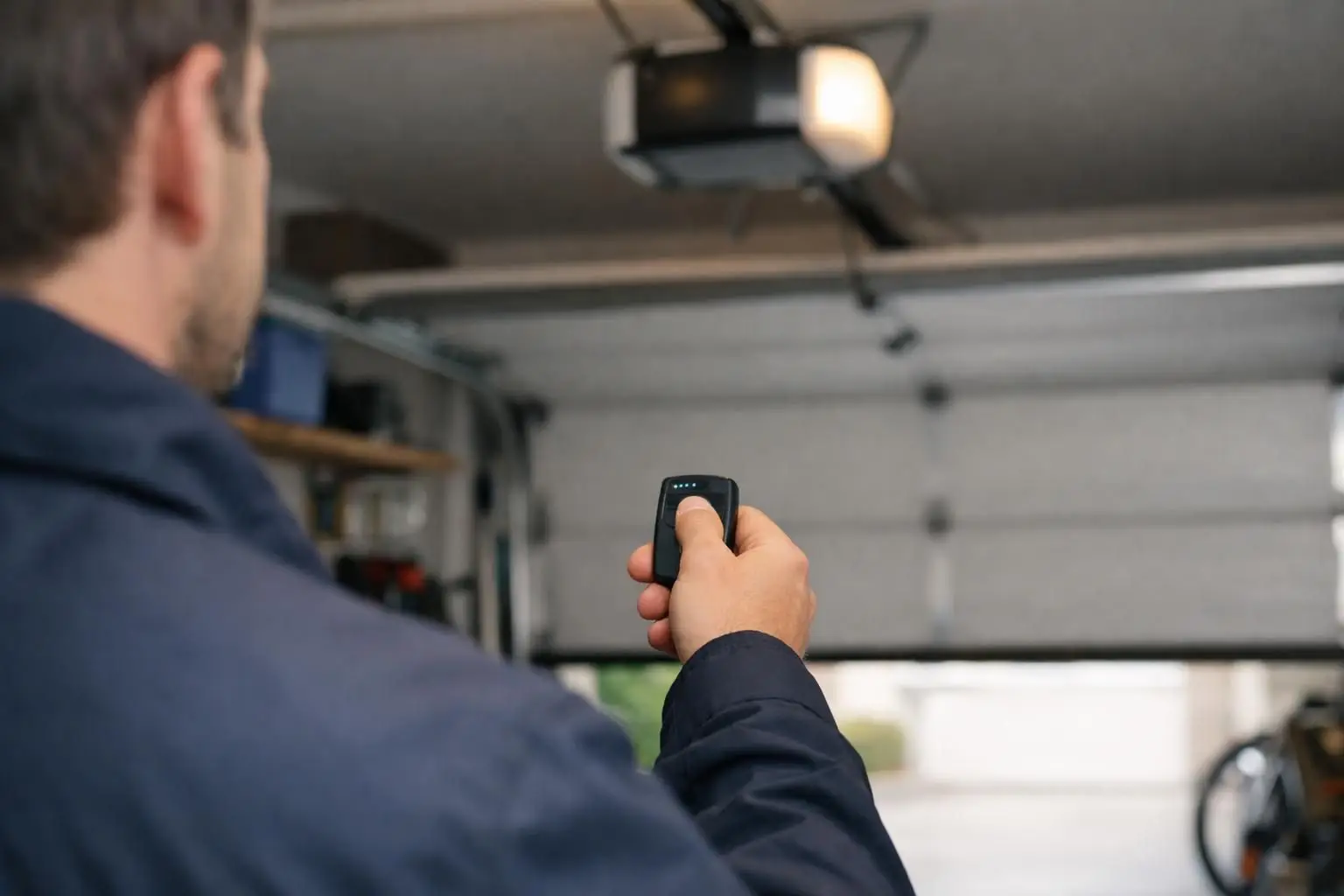
When your garage door remote not working turns into a daily headache, the fastest fix usually comes from isolating what’s actually failing: the remote, the opener, or the door itself. And because homes in wetter, saltier coastal areas and older neighborhoods often have more corrosion, power quirks, and interference from nearby devices, the “obvious” answer isn’t always right. In this guide, you’ll run a simple, step-by-step triage. You’ll check the wall button, battery, pairing, lock mode, and signal range. Then you’ll look at opener and door issues that can mimic a remote problem.
Best for: Homeowners who want a safe, systematic way to isolate whether the remote, opener, or door system is failing.
Not ideal when: The door is stuck halfway, crooked, or making loud popping noises that suggest a mechanical safety issue.
Good first step if: You can still use the wall button and you just need to restore remote pairing or range.
Call a pro if: You suspect a broken spring, smell burning electronics, or the opener behaves erratically after a power event.
Quick Summary
- Start by testing the wall button to separate a remote problem from a garage door opener problem.
- A weak remote battery often causes short range, delayed response, or intermittent operation.
- Reprogramming using the learn button fixes lost remote pairing after power issues or memory glitches.
- Lock mode on the wall control panel can disable remotes even when everything else seems fine.
- Signal interference from LED light bulbs or a nearby Wi-Fi router can shrink your usable range.
- If the door won’t move with the wall button, the remote probably isn’t the real issue.
Quick Checks to Narrow Down the Problem
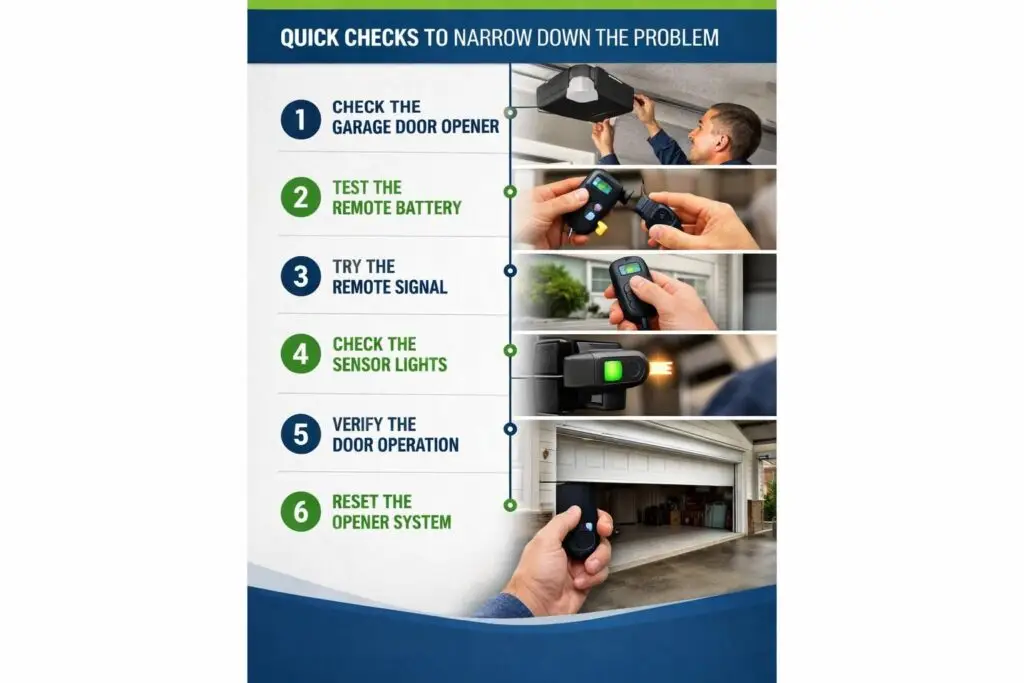
You can narrow the cause fast by comparing the wall button, remote, and keypad. If the keypad works but the remote doesn’t, suspect pairing, battery, or remote failure. If none of the controls work, suspect power, sensors, or the opener. Do these checks:
- Test the wall button.
- Test the remote close to the door.
- Watch for opener lights/clicks.
- Try a second remote if available.
Does the Wall Button Work?
If the wall button works, the opener has power and the door can likely move, so the remote is the main suspect. This rules out many outlet, breaker, and major door issues. If the wall button does nothing, focus on opener power, safety sensors, or door problems first, because the remote may be fine.
Check the Remote LED and Range
A dark or very dim remote LED points to a weak battery or corroded contacts. A bright LED with operation only directly under the opener suggests range or interference. If the remote used to work from the street but now only in the driveway, that shrinking range
Replace the Battery (and Clean Corrosion)
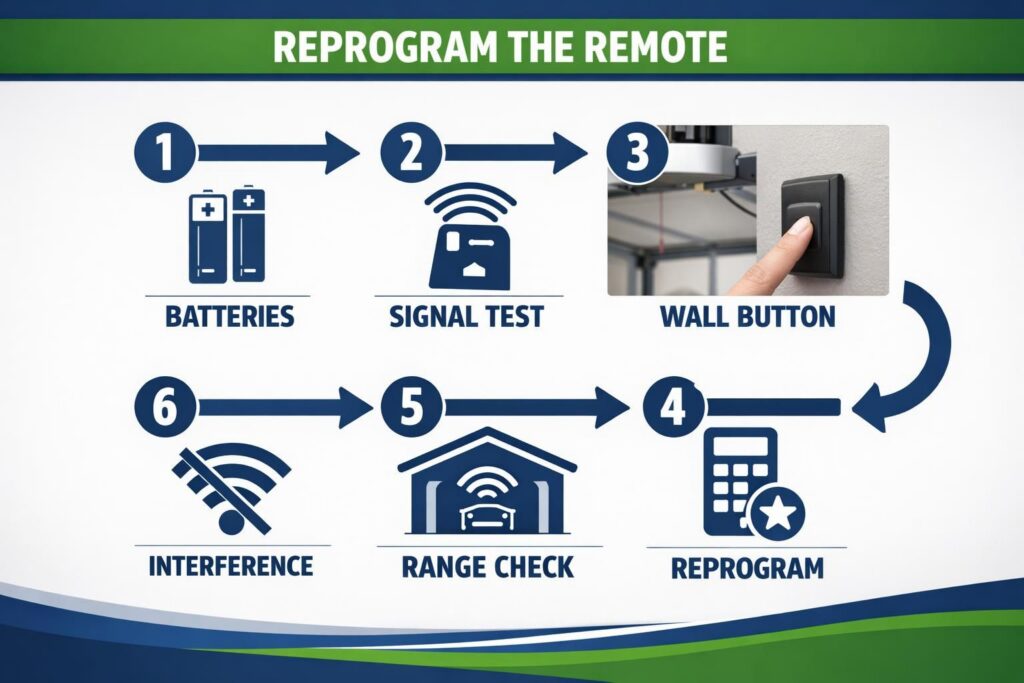
A fresh battery fixes many sudden failures because range drops before the battery fully dies. In damp garages, contacts can corrode and block power. Steps: 1. Open the compartment without cracking the case. 2. Note battery orientation. 3. Inspect contacts for white/green crust or dark spots. 4. Wipe dry; use a little isopropyl alcohol on a swab if needed, then dry fully. 5. Install the new battery so it seats flat. If the LED stays dark, the button or internal parts may be damaged.
Reprogram the Remote (Learn Button Steps)
Reprogramming restores pairing when the opener “forgets” the remote, often after surges, outages, or resets during a battery change. A common clue is the wall button works but the remote does nothing. Steps: 1. Find the Learn button on the motor unit near the light cover. 2. Press and release it; a light may blink. 3. Within seconds, press the remote button. 4. Watch for a blink/click confirmation. 5. Test from a few feet away. Program remotes one at a time, and re-sync the keypad if used.
Turn Off Lock/vacation Mode on the Wall Control
Lock (vacation) mode can disable all remotes while the wall button still works, so it can look like every remote “failed.” Kids or a long press can enable it. On the wall control, look for a Lock button, lock icon, or indicator light. Press and hold Lock for a few seconds until the light changes, then retest. If it keeps turning on, the panel may have a sticky button; see keeping your opener reliable.
Fix Signal and Range Problems
Range issues happen when the remote’s signal can’t reach the opener receiver due to weak batteries, interference, antenna problems, or metal doors and wiring. Try quick tests:
- Stand 10–15 feet away and retry.
- Change angle; don’t aim straight up.
- Pull the car out and test from outside.
- Turn off nearby devices briefly and retest.
If range improves when something is off, you’ve likely found the interference source.
Common Sources of Interference (LED Bulbs, Routers, Etc.)
Electrical noise can interfere with the receiver. Common sources include cheap LED bulbs (especially in the opener), Wi‑Fi routers, battery chargers, and some security cameras. A classic sign is the remote only works at close range after installing a new LED bulb. Quick test: remove or switch off the bulb and retest. If it improves, use an opener-rated bulb or move noisy electronics farther away.
Check the Opener Antenna and Receiver
A loose, damaged, or tucked antenna wire can destroy range because the receiver can’t “hear” the remote. The antenna is usually a thin wire hanging from the motor unit. Make sure it hangs straight and isn’t pinched or coiled from stored items. If the antenna looks fine but range is still poor, the receiver may be failing on an older unit. See opener failure symptoms.
If the Opener or Door is the Real Issue (Not the Remote)
If the wall button also struggles, the remote isn’t the core problem. Openers stop, reverse, or move only inches when safety checks detect resistance. A binding track can trigger reversal and feel like a “dead remote.” A broken spring can also mimic remote failure because the door becomes too heavy for the opener. If the door feels unusually heavy to lift manually, or you heard a loud bang earlier, stop and don’t force it. That’s a safety hazard.
Photo-eye/safety Sensor Alignment and Obstructions
If the photo-eye sensors are blocked or misaligned, many openers won’t close with the remote. Sensors sit low on the tracks and send a beam across the opening. Remove obstructions like bins, boot trays, or spider webs, and confirm both sensors face each other with normal indicator lights. For detailed steps, use resetting safety sensors.
Power, GFCI, and Opener Logic Board Symptoms
If the opener has no lights or sound and the wall button does nothing, check power: the outlet, breaker, and any tripped GFCI (with Test/Reset buttons) in the garage. Shared circuits can trip from heaters or tools. If power is good but behavior is erratic (clicking, flashing, inconsistent response), the logic/control board may be failing after moisture or a surge.
When to Replace the Remote Vs. Call a Professional
You should replace the remote when it’s clearly physically failing, and you should call a professional when the issue points to door mechanics, safety systems, or opener electronics you can’t confirm safely. The “why garage door remote stopped working” question often ends with a simple battery or reprogramming fix. But not always.
For example, if the remote LED lights and you can reprogram successfully, but the button only works when you press very hard, that’s a worn remote button or cracked solder joint inside the remote. Replace it. If the remote has water damage from being left outside, replacement is also the practical move.
On the other hand, call for professional garage door repair when:
- The door is crooked, off track, or jams halfway (don’t tug or force it)
- You suspect a broken spring or you hear loud bangs and the door feels heavy
- The opener smells hot, hums, or trips the breaker repeatedly
- The safety sensors won’t stay aligned or the wiring looks damaged
Related service and next steps
Request opener and door assessment. Stop using a heavy, crooked or unstable door; do not adjust springs or cables.
Conclusion
If your garage door remote not working has you stuck, the winning approach is boring but effective: test the wall button, swap the remote battery, reprogram with the learn button, and check lock mode. Then move to interference and antenna checks. When the wall button also fails or the door behaves dangerously, stop and treat it like an opener or door problem, not a remote glitch. Your next best step is the one that keeps you safe and gives you a clear yes-or-no answer.